366 Reviews
Slack Project Management Review 2026
Slack helps teams communicate efficiently and enhances productivity.
April 18, 2025
•
7 min
April 18, 2025
•
7 min
Slack is a project management service that streamlines team communication and collaboration, offering a fast, organized, and secure alternative to email. With an estimated 35 million active users, it’s ideal for teams and businesses of all sizes. It provides a unified space for chatting, huddling, file sharing, and app integration. It can also scale to support changing needs.
The platform effectively addresses common pain points like app overload and email clutter by combining communication and collaboration tools. Instead of switching between multiple apps, you can access your favorite tools directly within Slack, reducing the chaos of overflowing inboxes and enabling more immediate, conversational interactions.
The free plan provides access to the past 90 days of message history and file storage, ensuring recent communications and files are accessible. Slack also has two types of views: Modals and Home tabs. Modals are temporary, full-screen views that you can open at the top of the app’s main interface. Home tabs are persistent, custom interfaces for apps in the sidebar.
Slack is a task management software solution that allows team members to assign and track tasks within channels. You can create to-do lists, set deadlines, and check off completed duties. Integration with tools like ClickUp, Notion, and HubSpot allows for easy project management directly from Slack, helping everyone stay on track and increase efficiency.
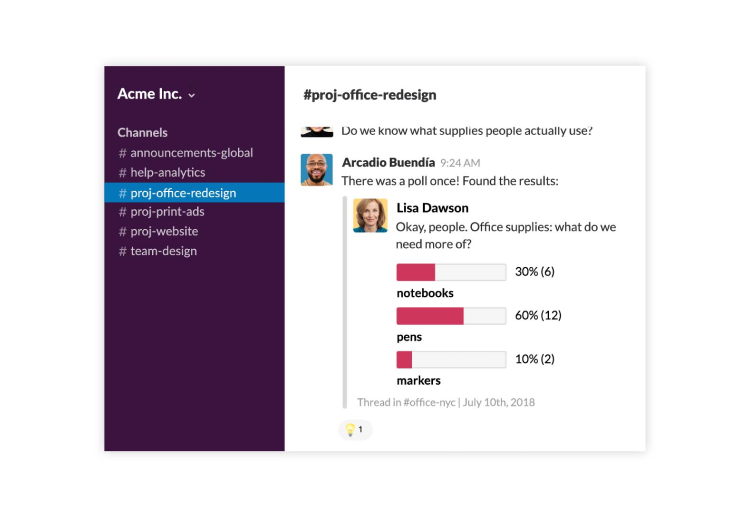
Slack boosts collaboration by providing a platform for real-time communication where team members can share files and give instant feedback. Channels dedicated to specific projects or topics keep conversations organized and easy to find. Plus, storage and sharing integrations with tools like Zoho or Dropbox ensure everyone can access the latest documents and resources.
Although Slack doesn’t have built-in time tracking, it supports integrations with popular tools like Harvest and Clockify. These integrations allow team members to log their hours directly from Slack. This helps monitor productivity and ensures that projects stay on schedule. Notifications and reminders can also be set up to inform the team of deadlines and milestones.
Slack's customization extends beyond the look and feel. You can create custom channels for specific projects, set up personalized notifications to stay in the loop and use Slackbot to automate repetitive tasks like messages. This frees up your team for more strategic work.
Slack is designed to be accessible from various devices, including desktop, mobile, and web. This ensures that team members can stay connected and productive no matter where they are. Features like a screen reader can assist with accessing information for all users, including those with disabilities. Plus, there’s even a list of shortcuts to help you navigate from one area in Slack to another.
Slack ensures you have control and ownership over your data. You fully own and control the content within your workspace, including messages and files. You can export, edit, and delete your data as needed. This level of control allows you to manage your stored information according to your organization’s policies and needs.
Data encryption is another critical component of Slack's privacy protection. The platform employs industry-standard encryption technologies like SSL and TLS to safeguard data transmitted between your devices and Slack’s servers. This encryption ensures that your information is protected from unauthorized access, maintaining the privacy and integrity of your communications.
Additionally, the platform supports you through its tooling and contractual commitments, embedding data protection into its design and default settings. Slack is transparent about how it uses your personal information and under what circumstances it will contact you.
Slack aims to give you an uninterrupted experience, keep you informed through uptime alerts, and offer a 99.99% uptime commitment for Business Plus and Enterprise plans. This level of reliability is crucial if your business depends on continuous communication.
Regarding data backup, Slack offers several options tailored to different needs. You can export data from your workspaces, and the extent of the exportable data will depend on your subscription. Free and Pro plans allow data exports from public channels, while Business+ and Enterprise Grid options provide more comprehensive export alternatives.
The platform has also been optimized to handle high traffic efficiently, with the desktop app launching faster and calls more responsive. These enhancements ensure Slack runs smoothly, even in large, active workspaces.
Slack implements single sign-on, domain claiming, and enterprise mobility management to increase security. This ensures that only authorized individuals and devices can access company information. Data encryption and two-factor authentication further protect your data, and Slack continually updates its security measures to meet compliance requirements and safeguard your information.
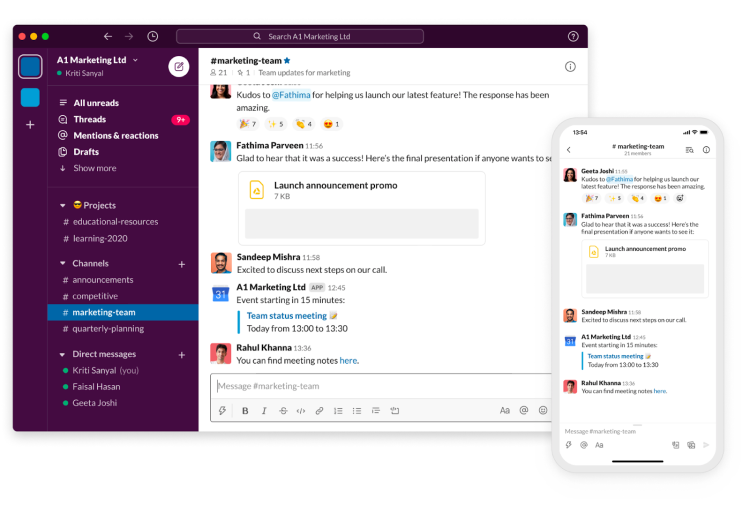
Slack is a messaging app used by approximately 400,000 businesses that connects people to necessary information and helps them work together as a team. Slack organizes communications into channels, topics, and conversations, making finding and accessing the information you need easy. You can join and leave channels as needed and customize what you see in your sidebar by adjusting your preferences.
Slack allows you to send messages, share files, and make calls. You can also enhance productivity using @mentions, reactions, threads, polls, workflows, huddles, and a Slack canvas. Slack also supports asynchronous work, allowing you to access the information you need on your own time. This makes it a flexible tool for teams working across different locations and time zones. In fact, the service currently operates in 150+ countries.
To sign up with Slack, follow these steps:

Slack is committed to providing excellent customer support whenever you need it. Its dedicated team is available 24/7 to assist through live chat (paid plans only) or email at feedback@slack.com. You can also fill out a contact form on the website to describe your issue in detail and attach any relevant files. Once you complete the form, you should see the option “Start Live Chat.”
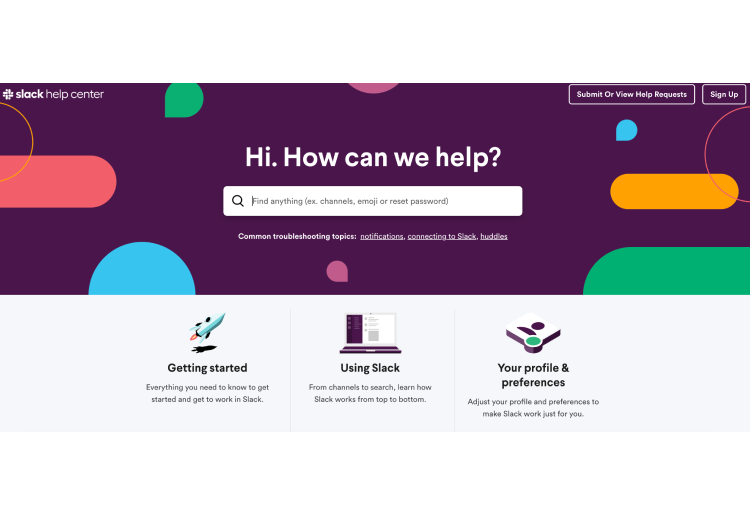
Slack also offers a comprehensive Help Center at https://slack.com/help. There, you’ll find searchable articles, FAQs, troubleshooting guides, and video tutorials to help you resolve common issues and learn more about using Slack effectively.
While Slack doesn't offer phone support, you can try the Slack Community forum, where users can connect with others, ask questions, and share solutions. Additionally, Slack's blog has the latest product updates, industry trends, and tips on getting the most out of the platform for your team.
Slack is a team collaboration platform that offers both desktop and web-based versions. The Slack desktop app is free and provides the same features as the browser version, making it easy for users to communicate and work together efficiently.
The desktop app offers a variety of features, including:
Channels for organized discussions on specific topics
Direct messaging for quick, one-on-one conversations
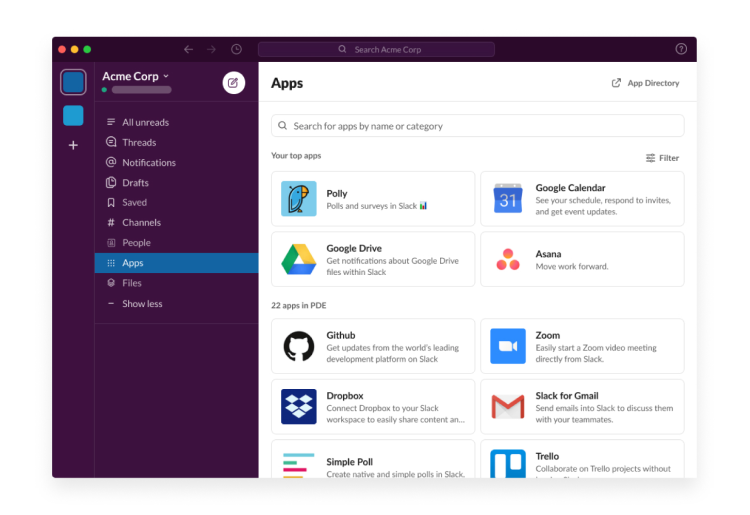
Integration with other workplace tools like Google Drive and Trello
Customizable notifications to keep you informed
Setting up the Slack desktop app is straightforward, and it provides additional benefits such as keyboard shortcuts and the ability to automatically launch Slack when you start your computer.
Slack offers a user-friendly and secure mobile app for iOS and Android devices, providing convenience for collaboration on the go. The app includes several features to enhance productivity, including:
Shortcuts that allow users to catch up, respond to DMs and mentions, send messages, and finish work efficiently.
Swipe gestures that enable quick navigation: swipe right to view workspaces or left to access the last visited channel or direct message.
| Free | Pro | Business+ | Enterprise Grid | |
|---|---|---|---|---|
| Cost (annual billing) | $0/month | $8.75/month | $12.50/month | Depends on size and complexity of company |
| Message and file history | 90-day access | Unlimited | Unlimited | Unlimited |
| Slack AI | - | Yes | Yes | Yes |
| App integrations and workflows | 10 | Unlimited | Unlimited | Unlimited |
| Slack huddles | One-on-one only | Yes | Yes | Yes |
| Work with external people | One-on-one only | Yes | Yes | Yes |
| Workspaces | 1 | 1 | 1 | Unlimited |
| Manage channel posting permissions | Limited to #general channel only | Limited to #general channel only | Unlimited number of channels | Unlimited number of channels |
Slack canvases | Channels and DMs only | Yes | Yes | Yes |
Customer user groups | - | Yes | Yes | Yes |
Custom retention policies for messages and files | - | Yes | Yes | Yes |
Standard workflows | - | Yes | Yes | Yes |
Premium workflows | - | 1000 runs/month | 2000 runs/month | 5000 runs/month |
Workflow builder | - | Yes | Yes | Yes |
Custom workflow steps | - | Yes | Yes | Yes |
User management with SCIM provisioning | - | - | Yes | Yes |
Domain claiming | - | - | - | Yes |
The Free plan is excellent for getting acquainted with Slack's basic functionality. However, the lack of message history and limited features can restrict ongoing collaboration.
The Pro plan offers a significant leap over the free tier with unlimited history and more integrations. This plan is suitable for small teams that need a central communication hub with extended capabilities.
Business+ caters to businesses that require high availability, stronger security features, and round-the-clock support for critical operations.
Enterprise Grid is designed for large organizations with intricate workflows, numerous teams, and specific compliance requirements. Pricing is customized based on the company's size and needs.
Slack's pricing for collaboration tools falls within the industry average. While free tiers exist for many options, paid plans with advanced features tend to have similar pricing structures.
Choosing the Right Tier:
Upgrade from Free to Pro when you need unlimited message history, more integrations, or guest accounts.
Upgrade from Pro to Business+ for enhanced support, guaranteed uptime, or stricter data residency control.
Consider Enterprise Grid if your organization has a large user base, extensive customization needs, or complex compliance requirements.
With Slack, you can create unlimited private and public channels to organize your conversations by project, topic, or group. All messages are indexed and searchable for 90 days, and you can also integrate up to 10 apps and services to help streamline your workflow.
You can communicate through one-on-one voice and video calls to switch from typing to talking quickly. File sharing keeps your public documents in one place, and personalized notifications can help you keep track of your conversations.
Channels in Slack provide dedicated spaces for team collaboration, information sharing, and focused discussions. Direct messages are available for private conversations, and the platform's search functionality can be used to find communications and information.
According to a 2023 US Census Bureau article, 13.8% of US businesses were using AI to enhance productivity in the informational sector. Slack now offers it as an optional add-on for all paid plans to help enhance your business’s functionality.
With Slack AI’s powered search, you can find answers by locating the necessary information. If you've missed out on conversations, Slack AI can instantly summarize them, helping you catch up quickly. Slack AI’s daily recaps can save you time and inform you about important updates, ensuring you're always in the loop.
Slack is a game-changer for team communication and collaboration. Its intuitive interface, powerful features, and seamless integration with other tools make it an invaluable asset for businesses of all sizes. The ability to create separate channels for teams, topics, and departments ensures that information is neatly organized and easily accessible.
Slack has revolutionized the way our company works together, boosting productivity and fostering a strong sense of teamwork. While some users may have a learning curve, Slack's benefits far outweigh any initial challenges. And its free plan offers a generous set of features.
 Frequently Asked Questions
Arjel Vajvoda is a SaaS product leader serving as Head of Product Development at Momotech, with expertise in product strategy, lifecycle management, and process optimization. Leading cross-functional teams to deliver innovative solutions, she brings a builder's perspective to evaluating the project management tools businesses rely on.