Is GoDaddy Website Builder Worth It?
GoDaddy Pros & Cons
Pros
Cons
GoDaddy at a Glance
Easy-to-use
Website Packages
Reliability
Customer Service
Integrations
Overview
Founded in 1997, GoDaddy has grown into the world's largest domain registrar, serving more than 21 million customers across 150+ countries, and now provides web hosting and website-building solutions to match. Designed from scratch to offer a quick and hassle-free website creation process, it now includes the help of new AI tools, notably the recent launch of GoDaddy Airo™. GoDaddy's website builder focuses on empowering small businesses in the e-commerce realm, now enhanced with AI-powered solutions that save time and help win new customers.
What sets GoDaddy apart is its intuitive editor, catering to users of all skill levels. Whether a beginner or an expert, GoDaddy offers the ability to effortlessly build your own website and gain access to a suite of marketing tools, perfectly suited for your online store needs. GoDaddy was designed to help get you started if you don’t know where to begin, now with the unparalleled experience of GoDaddy Airo™ that takes you from idea to online in just minutes.
GoDaddy goes beyond website building, providing self-help resources and educational materials that cover various aspects of starting your e-commerce journey. From beginner-friendly guides to pro tips on launching your new website, GoDaddy has you covered. The introduction of GoDaddy Airo™ further streamlines the process for small business owners, letting them focus on building their brand, engaging customers, and growing their business.
If you're a small business owner with limited experience, GoDaddy's Marketing + Websites package is the ideal choice, now further bolstered by GoDaddy Airo™. Experience the advantages of GoDaddy and create your own website confidently, supported by AI that helps quickly create emails and newsletters, optimize site rankings with AI-powered SEO, and engage customers through AI-generated responses in Web Chat. Unlike its earlier limited rollout, Airo is now available in 150+ countries with multi-language prompt support, so the AI features are no longer restricted to a single region.
Using GoDaddy
Getting started with GoDaddy is a super easy process. You can sign up for a seven-day free trial without providing credit card details or any other payment information. It’s also possible to continue with the limited free-forever plan once your trial expires, and not lose your work, which is nice. Airo itself also has a free-forever tier that includes 50 AI credits per month with no credit card required, so you can try the AI builder at no cost.
What’s more, the GoDaddy user interface is intuitive and easy to navigate. The main management dashboard lets you control everything from your website builder subscription to your domains and any other GoDaddy products you have.
The editor is also tidy and easy to use, and we didn’t experience any usability issues during testing.
GoDaddy Features and Tools
GoDaddy’s website builder may lack some flexibility, but that’s not to say that it doesn’t come with a great selection of nifty features.
GoDaddy Appointments
GoDaddy has an excellent online appointment tools that you can add to your website. These let you add a calendar to your site so that customers can make bookings online and can sync with multiple Google and Apple calendars so employees can stay on top of their schedules. You can also configure it so you can accept payments and promote open availability on social media, allow customers to book directly from your posts or ads in many markets.
GoDaddy Airo™
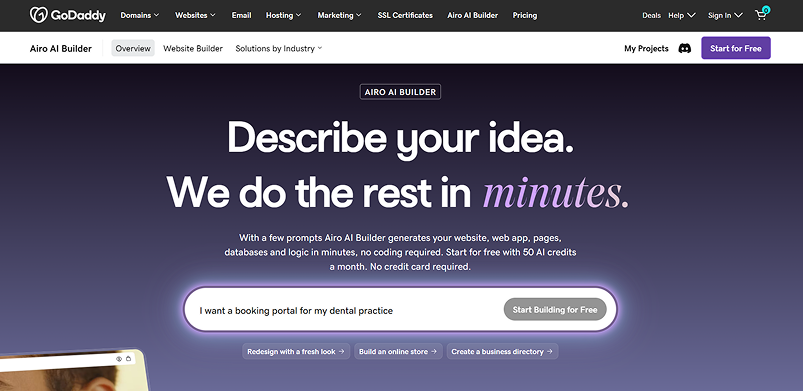
GoDaddy Airo is the company's AI platform, and Airo AI Builder is its most advanced expression: a conversational, no-code tool that builds full-stack websites, web apps, online stores, dashboards, and custom business tools from a simple text prompt. It's positioned as "vibe coding" for non-developers — you describe what you want, the AI builds it, and you refine through conversation.
Airo follows a simple three-step model — describe, refine, publish:
Describe: Tell Airo what you want in plain language ("Build me a reservation system for a yoga studio," "Create a business directory for local restaurants," "Rebuild my existing website with a modern look") and it generates a fully structured first version — pages, sections, copy, images, and backend functionality. Template prompts are on hand if you're not sure where to start.
Refine: Adjust the result either by conversation (ask Airo to change layout, tone, visuals, or add features) or by clicking any element and editing it directly. Airo keeps the whole project's context in mind, so a change to one element carries across similar elements — avoiding the "fix one thing, break another" problem of weaker AI builders.
Publish: Go live in a single click. Airo deploys straight to GoDaddy's infrastructure — global edge CDN, a 99.9% uptime guarantee, automatic SSL, DDoS protection, automatic backups, and built-in analytics — with hosting included in the plan.
What makes Airo stand out from a typical website builder is that it's genuinely full-stack. It includes a built-in backend layer — database storage, user login and authentication, forms processing, and third-party API integration — so it can build functional web applications like booking systems, membership portals, and internal dashboards, not just informational sites. You can connect Stripe for payments or add other services simply by describing them in a prompt, with no manual API configuration. And because Airo generates real, exportable code with optional GitHub sync, developers can generate a working first version in minutes and continue building from there. Airo does not build native iOS or Android apps, but every web app it creates is mobile-responsive by default.
Business Listings
There’s also a tidy Business Listings tool that you can access from the main dashboard. This enables you to create Yelp and Google My Business listings. You can also link your social media pages and get suggestions for what to post when.
GoDaddy’s AI prompt library
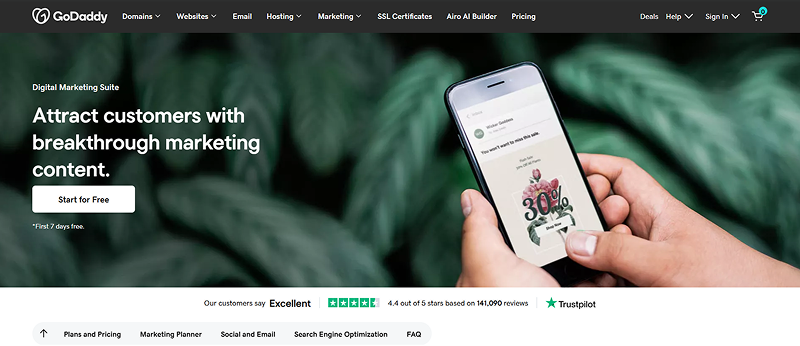
GoDaddy’s new Generative AI Prompt Library can provide a unique helping hand for small businesses. Business owners can use over 35 prompts and benefit from the power and knowledge of generative AI. Users can interact with AI chatbot systems like ChatGPT, Google Bard, and Bing AI to generate content that can automate tasks such as content creation, social media management, and customer support. You can even get help starting a business and tips on building a website.
The library aims to level the playing field for small businesses by giving them access to technology generally reserved for large corporations. The prompts can help small businesses tackle common issues such as marketing idea generation, suggesting responses to customer reviews, and content creation. GoDaddy continues to expand the library and add new AI features across its products.
It’s important to note that since AI technology is relatively new and still developing, all content that is generated should be fact-checked and reviewed before using.
How to Create a Website with GoDaddy
When you start a new GoDaddy website, you have to select a website category and enter a site name. With the free trial, you will have access to all features for free for the first week. You can choose a paid subscription after this if you want to keep using all of the GoDaddy’s features. Or you can downgrade to the limited feature, free-forever plan without losing your work. You can always upgrade as well at a later time.
Once you’ve named your site, you will be asked a few questions so that GoDaddy can provide you with the right template and suggested sections based on what’s worked best for similar businesses. You can also change your template at any time during the editing process without having to start over. There’s even a mobile editor so you can make changes to your site on the go.
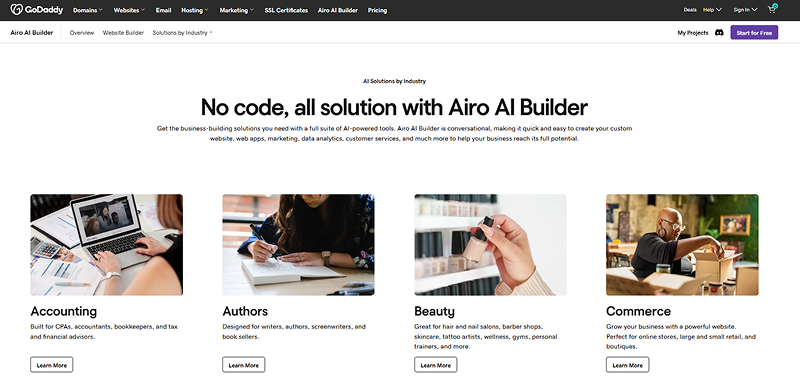
There are hundreds of templates that are split between 22 categories. They are fully responsive and work great on both mobile and desktop devices. However, they do lack flexibility, and you will be somewhat constrained by the pre-coded layout.
You can add and remove both sections and elements from your website using the intuitive editor. Here, you can also personalize your site’s content, change colors, fonts, and access a suite of other excellent tools. If you take advantage of their free brand kit, you can import your logo, fonts and colors automatically to keep your branding consistent.
One standout feature is GoDaddy’s autosave tool. This means that you will never lose your progress and will never have to save your site manually. If you want to roll back to previous saves it is possible, but you will need to call in and speak with a support member to do so.
Luckily, GoDaddy has spent a lot of time analyzing what successful website-building users do and provides guidance in the form of easy-to-follow checklists, so new users make sure they handle important steps, based on their goals. Then you can preview your site before publishing it with a single click.
The main downsides of GoDaddy’s editor are that you can’t add custom code and there are no keyboard shortcuts. You also can’t move things around freely within sections. While this was done intentionally to help businesses sites get started quickly and look good, it can be a downside for people wanting to have more design flexibility. Finally, it’s difficult to export a GoDaddy site to another platform. (Airo AI Builder is the exception here: projects built with Airo generate exportable code you can take to GitHub.)
All in all, I do like GoDaddy. It lacks power if you’re looking for an advanced website builder, but it’s a great option for users who want to get online fast. GoDaddy doesn’t have all the apps or flexibility that others do but their tools are fully integrated into the builder, so you are never left with a site that doesn’t look or function how it’s intended.
Adding Multimedia to Your GoDaddy Website
To add images to your website, you will need to upload them to the built-in media library. You can upload most popular video and image file formats, and you can upload multiple files at one time. There’s also a large built-in stock photo library, and you can link your Facebook and Instagram and select what media to sync to your site.
You can remove backgrounds and edit media with the GoDaddy Design Studio, create new vides with the instant video tool, and embed videos hosted on YouTube and Vimeo. Overall, adding photos and videos to your GoDaddy site is a simple process, and the integrated editing tools are excellent.
Marketing Functionality with GoDaddy Websites
You will get a wide range of marketing tools with a GoDaddy website builder subscription. These include integrated social media marketing and email marketing tools, a native content creator, and a powerful marketing planner. You can even link your Facebook marketing account to create ads from your GoDaddy dashboard.
There’s also a tidy blog manager that you can use to create and manage content. Plus, powerful analytics are available to help you track the success of these campaigns.
SEO Functionality & Add-Ons with GoDaddy Websites
GoDaddy has a native SEO wizard that you can use to optimize your website for search engines like Google. You can add keywords and tags to your content and images to ensure it’s well optimized. It’is possible to link Google analytics so you can track the success of your SEO efforts. For businesses that lean on search and content marketing, the optional Airo Plus add-on layers on AI-powered SEO site optimization and an AI marketing consultant.
In the past GoDaddy’s SEO feature had a history of slow performance and slow load speeds. But in 2022 they greatly improved this function. Several back-end changes doubled the average score of passing sites and the company is now well above many competitors. This will translate to fewer customers bouncing from your site.
Ecommerce
GoDaddy's website builder comes with an impressive online store feature that makes it easy for users to sell their products online. The online store is equipped with everything a user needs to get started with Ecommerce, including a variety of customizable templates, seamless integration with marketplaces like Etsy, Amazon, Google and more, and a user-friendly interface that makes it easy to set up the store and manage inventory.
Adding products to your online store is quick and easy with AI-enabled product descriptions to suggest content when you are staring at a blank screen, and a quick import function if you’re selling elsewhere. It will even sync your inventory between multiple selling sites, so you only have one place where you have to manage your inventory.
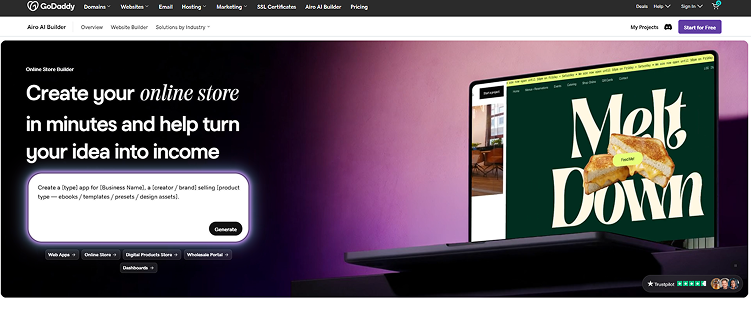
GoDaddy also comes with build-in tools to help you sell more such as automated email flows to retarget customers with an abandoned cart, the ability to create social posts you can sell directly from, and chat functionality to stay in touch with your customers. The editor will also suggest and build other resources on your site such as an FAQ that ecommerce businesses benefit from. If you'd rather start from a prompt, Airo can generate a full online store — product catalog, built-in SEO, and Stripe payment integration — from a single description.
Payment Processing
GoDaddy's online store offers a safe and secure payment processing system that supports multiple payment options, including all major credit cards, PayPal, Apple Pay, and Google Pay, as well as offering stylish hardware for in person payments. Users can also customize their checkout process to match their brand, ensuring a seamless customer experience. GoDaddy also has the lowest processing fees, allowing customers to keep more of what they make.
Scalability
With GoDaddy, users can start small and easily add more products and features as their business grows. It offers seamless integrations with popular shipping carriers, simplifying shipping and delivery for users as their online store expands. Moreover, GoDaddy's online store provides easy-to-use marketing tools that help users attract more customers, including customizable coupons and promotions and email marketing campaigns.
GoDaddy Customer Support
GoDaddy offers 24/7/365 phone and live chat support. Their award-winning support agents are responsive and knowledgeable, and you rarely have to wait more than a couple of minutes to get a reply. Email support is absent, however. There's also a dedicated Airo community on Discord for peer support and product feedback.
Another great resource is GoDaddy’s knowledge base, which contains a variety of step-by-step guides, video tutorials, and other self-help articles. You will also find a selection of educational webinars, and the GoDaddy community forums enable you to interact with other users and view the answers to past questions. GoDaddy holds a strong "Excellent" rating on Trustpilot from well over 140,000 reviews; where customers do complain, it tends to be about renewal and auto-renewal billing rather than product quality or support.
GoDaddy Pricing
GoDaddy has four Website + Marketing plans. These all come with a seven-day free trial so you can test the platform. There’s also a simple free-forever plan, though it lacks advanced features. Separately, the Airo AI Builder has its own free tier (50 AI credits per month), with paid builder plans starting at $9.99/month.
The Basic plan lets you create a simple website and provides access to email, social media marketing tools, and allows for one-time appointments. Upgrading to the Premium plan adds a full suite of online appointment tools, while the Commerce and Commerce Plus packages are designed for e-commerce.
Monthly subscriptions are available, but you will get a sizeable discount with a 12-, 24-, or 36-month plan. You will also get a better sale price for your initial term with an annual plan.
| Package | Basic | Premium | Commerce | Commerce Plus |
|---|---|---|---|---|
| Price Per Month | $16.99 | $26.99 | $29.99 | $49.99 |
| Price Per Month (Annual Introductory Subscription) | $9.99 | $14.99 | $16.99 | $29.99 |
| Price Per Month (Annual Subscription) | $11.99 | $21.99 | $24.99 | $44.99 |
| Email Marketing | ||||
| Online Appointments | ||||
| Ecommerce | ||||
| Ecommerce Automation |
A note on renewal pricing: GoDaddy's introductory rates apply to the first billing term only, and services auto-renew at higher standard rates. Domain renewals in particular can jump by 340%+ over the first-year promotional price, and the optional Airo Plus add-on renews at $95.88/year versus $59.88 in the first year. It's worth budgeting on the renewal price, not the promo price, and reviewing your renewal settings in your GoDaddy account dashboard.
GoDaddy Alternatives
GoDaddy | Webador | Wix | Shopify | Weebly | |
|---|---|---|---|---|---|
Pricing | From $9.99 per month | From $10 per month | From $17 per month | From $39 per month | From $9 per month |
Hosting Included? | Yes | Yes | Yes | Yes | Yes |
Number of Templates | 100+ | 42 | 950+ | 81 | 75 |
Blogging Functionality | Good | Good | Good | Good | Advanced |
Ecommerce Functionality | Good | Basic | Advanced | Advanced | Advanced |
Email Marketing Functionality | Advanced | No | Good | Advanced | Advanced |
Responsive Design | Yes | Yes | No | Yes | Yes |
Analytics & Reporting | Basic | Basic | Basic | Advanced | Basic |
GoDaddy vs Webador
Webador is more affordable than GoDaddy but offers slightly more basic website-building solutions. Like GoDaddy, it’s intuitive and easy to use. However, its e-commerce tools are on the basic side, and it has no email marketing functionality. We’d recommend GoDaddy unless you’re on a tight budget where every cent counts.
GoDaddy vs Wix
Wix is arguably the world’s most powerful website builder, offering excellent design flexibility. However, it’s a little more difficult to use than GoDaddy and is a better choice if you want to spend some time personalizing your site. GoDaddy's packages are also more holistic, and pricing is inclusive of all the tools - marketing, appointments, store - whereas Wix's tools often come at an additional cost that is only evident when you're in the marketplace after you've built your site. GoDaddy Airo also goes a step further than Wix's AI assistant: it's a full-stack builder that generates working web apps from a prompt, not just design and content suggestions. We’d suggest going with GoDaddy if your priority is getting online fast.
GoDaddy vs Shopify
Shopify is a leading online store builder that’s designed specifically for e-commerce. GoDaddy tools are better integrated, so you don't have to spend much time trying to make those tools look and function how you want them to. There's more of a learning curve with Shopify so it could be better for larger e-commerce sites with dedicated site managers. It’s a powerful option if you want to build your own store, but GoDaddy stands out as a much better choice for general business and personal websites.
GoDaddy vs Weebly
Weebly is a versatile website builder that, like GoDaddy, has a mix of online store and website-building tools. It’s also quite easy to use, though it’s not quite as simple as GoDaddy. However, it does offer more design customization. We’d suggest Weebly for online stores that may be too large for GoDaddy’s platform.
Bottom Line
The GoDaddy website builder is a versatile option, perfectly tailored for users of all skill levels on their e-commerce journey. With its user-friendly editor and AI tools that require no coding or specialized skills, you can effortlessly create a powerful online store. Unlocking a selection of e-commerce and online booking tools, GoDaddy equips you with everything you need to succeed in the competitive online marketplace. And with GoDaddy Airo, the platform goes beyond traditional website building: its conversational AI can build full-stack projects — websites, web apps, and online stores — with real backends, deploy them in a single click on GoDaddy's proven infrastructure, and hand you exportable code if you want to keep developing. The free plan and low $9.99 entry price make it accessible for solopreneurs and first-time builders.
GoDaddy remains competitively priced, making it an attractive choice for entrepreneurs. Moreover, new users can enjoy a seven-day free trial to experience its capabilities firsthand. The main caveat is renewal pricing — introductory rates are promotional and rise significantly after the first term, particularly for domains and the Airo Plus add-on, so budget on renewal rates. If you need deep design customization or a specialized e-commerce platform, Wix, Squarespace, or Shopify may serve you better. But for a fast, hassle-free way to get online — and now to build actual web apps without writing a line of code — GoDaddy is a strong all-in-one option for its price.
 Have a Question
How do I know I can trust this review?
Daniel Blechynden writes for Top10.com and specializes in tech, with a focus on web hosting and website building, personal finance and investing, the sciences, and digital marketing. He holds degrees in Chemistry and Marine Science from the University of Western Australia and has written for a number of leading publications.