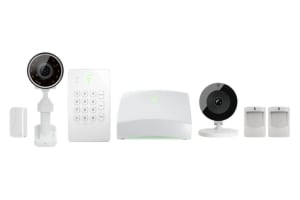
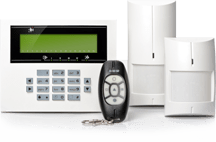
Last Updated: Oct 2026
Best Home Security Systems in Ohio 2026
Protect what matters most


*Req. system purchase with min. of $349 for DIY or $599 for pro install & pro monitoring plan starting at $24.99/mo. w/ 1 mo. min. w/DIY or $34.99 for 36 mo. w/pro install (early cancel fees). Not available for online orders. Terms & pricing below.
**Applies after ADT has made attempts to resolve a system related issue. Requires purchase and continual monthly payment of both QSP and professional monitoring at time of activation to be eligible. See below for terms.
*Req. system purchase with min. of $349 for DIY or $599 for pro install & pro monitoring plan starting at $24.99/mo. w/ 1 mo. min. w/DIY or $34.99 for 36 mo. w/pro install (early cancel fees). Not available for online orders. Terms & pricing below.
**Applies after ADT has made attempts to resolve a system related issue. Requires purchase and continual monthly payment of both QSP and professional monitoring at time of activation to be eligible. See below for terms.
A home security system, also called a home alarm system or security alarm system, is a network of connected sensors, cameras, alarms, and monitoring tools that detect threats and alert you quickly — often through an app, push notification, or professional monitoring service. In 2026, modern alarm systems for home use offer real‑time alerts, smart integrations with other devices, and faster confirmation, like video verification, so you can respond immediately whether you’re home or away.
A home security system is a smart choice for anyone who wants better protection, faster alerts, and extra peace of mind at home or away. Home security systems are especially useful for families, people who live alone, renters, frequent travellers, pet owners, and homeowners with larger properties or multiple entry points.
A modern home security system can help monitor doors, windows, garages, deliveries, pets, and unexpected activity in real time. Many systems also include mobile alerts, indoor and outdoor cameras, motion sensors, smart locks, and wireless DIY equipment that can be installed without major changes to the property.
A home security system may be especially helpful if you:
In short, a home security system is useful for anyone who wants more control over home safety, clearer visibility of daily activity, and fast updates when something unexpected happens.
The best alarm system for your home depends on your property size, budget, lifestyle, and how much control you want over installation and monitoring. Most households can choose between a DIY home alarm system and a professionally installed home alarm system. Both options can provide strong protection, mobile alerts, smart home features, and emergency monitoring, but the right choice depends on how hands-on you want to be.
A DIY alarm system is often best for renters, smaller homes, apartments, and people who want a flexible system they can install themselves. A professional alarm system is usually better for larger homes, complex layouts, multiple entry points, or anyone who wants expert setup and ongoing support.
When comparing home alarm systems, consider:
In short, the best alarm system for home use is the one that matches your security needs without adding unnecessary complexity. Choose a DIY alarm system if you want flexibility, lower costs, and easy setup. Choose a professional alarm system if you want expert installation, wider coverage, and more support.
A DIY home security system is a wireless alarm system that you can install yourself, usually without drilling, rewiring, or booking a professional installer. Most DIY alarm systems for homes are designed for quick setup and can often be installed in under an hour using peel-and-stick sensors, smart cameras, motion detectors, and a mobile app.
DIY home security systems are popular because they give users more control over cost, setup, and monitoring. Many systems let you start with basic door and window sensors, then add extra devices later, such as indoor cameras, outdoor cameras, video doorbells, smart locks, glass-break sensors, and environmental sensors.
A DIY home security system may be a good choice if you want:
In short, DIY home security systems are best for people who want a simple, flexible, and affordable way to protect a home, apartment, or rental property. They work well for smaller homes, renters, tech-comfortable users, and anyone who prefers to manage their house alarm system directly from a mobile device.
No installation fees — save the $100–$300 professional install cost
Portable — great for renters or frequent movers
Smart home ready — integrates with Alexa, Google, or Apple HomeKit
Scalable — add more cameras, sensors, or smart locks anytime
Lower monthly costs — many offer cheaper self‑monitoring
These home alarm systems are built for modern living. You install entry sensors, indoor and outdoor security cameras, and link everything via a mobile app. Most devices are wireless and battery‑powered for easy setup.
Professional home alarm systems include in‑home setup by trained technicians. They’re ideal for large homes, high‑security needs, or users who prefer a “set it and forget it” solution.
Benefits of professional install:
Expert placement — maximises coverage and reduces blind spots
Included warranties — hardware covered for repairs or replacements
Professional monitoring — 24/7 call centre response
Service guarantees — tech support, maintenance, and system checks
Professional home alarm systems often involve contracts (12–36 months) and higher upfront costs. Installation may require drilling or wiring, making these systems less flexible for renters.
DIY and professional alarm systems can both provide effective home security when they are installed correctly, used consistently, and supported by reliable monitoring. The level of protection depends less on whether the alarm system is DIY or professionally installed, and more on how well the system covers key areas of the home.
A secure home alarm system should include properly placed sensors, clear camera coverage, regular arming, and a dependable alert process. For some households, self-monitoring through a mobile app may be enough. For others, 24/7 professional monitoring from a security provider may offer extra peace of mind, especially during travel, work hours, or emergencies.
The most important security factors include:
In short, both DIY home security systems and professional alarm systems can be secure. The safest choice is the system that is installed properly, monitored reliably, and used every day as part of a clear home security routine.
At Top10.com, we recognize the importance of thorough and accurate product and service reviews in guiding your choices. Our team, comprising editors and industry experts, conducts extensive research to provide comprehensive insights. Our content is continually updated to reflect the latest market trends, offering current information.
We provide a range of services including comparison lists and in-depth reviews, all tailored to meet your specific needs. Our goal is to empower you to make confident and informed choices.

Monitoring type – DIY often relies on self‑monitoring unless upgraded
Connectivity – Most modern systems are wireless with cellular/Wi‑Fi backup
Power failure protection – Backup batteries keep systems active
Response time – Professional monitoring ensures authorities are contacted promptly
Both DIY and professional alarm systems can protect your home — professional monitoring adds extra security in emergencies.
Whether you choose DIY or professional, the top home alarm systems should include:
Remote access — control alarms, locks, and video from your phone
24/7 monitoring — real‑time alerts and emergency response
Security cameras — indoor/outdoor cameras with night vision
Smart locks — control access and get visitor notifications
Environmental monitoring — smoke, CO2, and water leak detection
Crash & smash protection — system still alerts if panel is destroyed
Mobile alerts — instant push notifications when triggered
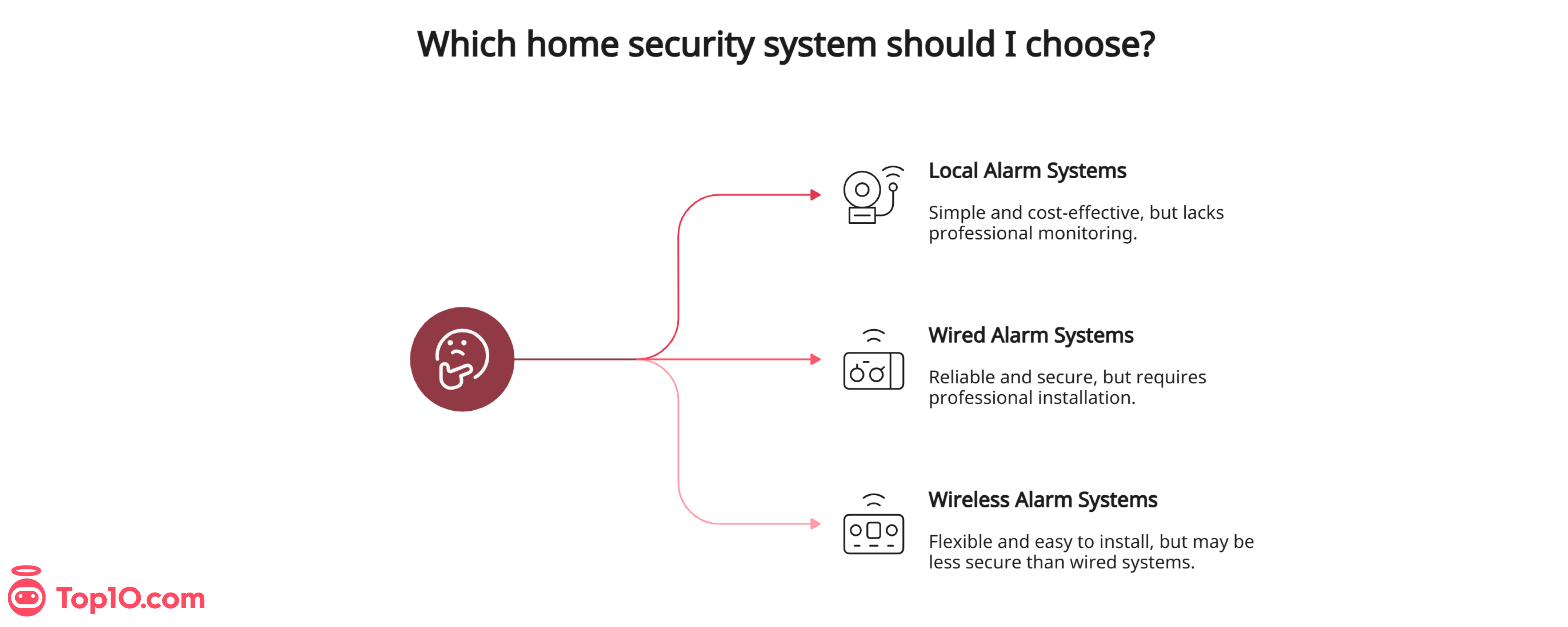
There are several types of home security systems. Some of the most common are:
Wired Systems
These are hardwired into your home's electrical system and typically require professional installation. They're more reliable than wireless systems but are often more expensive and difficult to install.
Wireless Systems
These systems use wireless technology (WiFi or cellular) to communicate with the different security components. They're easier to install than wired systems and usually less expensive, but are less reliable in areas with poor signal strength.
Monitored Systems
These systems are often professionally installed home security kits and are connected to an external monitoring center. They offer greater peace of mind but are more expensive than unmonitored systems.
Unmonitored Systems
Unmonitored systems are more affordable than monitored ones but are less reliable - they require you to manually respond to alerts and alarms.
Home security systems work using a combination of sensors, cameras, and alarms to detect and respond to potential intruders. Common components include the following:
Control Panel
The central control panel communicates with various sensors and cameras throughout your home. You can use it to arm and disarm the system, and depending on what type you have, you may also be able to monitor your home in real time via a mobile app or web portal.
Video Surveillance
Video surveillance, also known as closed-circuit television (CCTV), uses cameras to monitor specific areas. The cameras record video footage, which you can also view in real-time. Video surveillance significantly reduces crime in residential areas and can help identify potential suspects in the event of a crime.
Burglar Alarms
When a sensor is triggered, a siren goes off, alerting you and the neighborhood of a potential intrusion. Burglar alarms can be installed as a standalone system or included in a more comprehensive home security package.
Motion Sensors
When a sensor detects motion or another type of spatial disturbance, it sends a signal to the control panel, triggering an alarm and/or sending an alert to your connected smartphone.
Contact Sensors
A contact sensor, also known as a door/window sensor or a magnetic sensor, detects when a door, window, or other entry point opens or closes. A magnet is attached to the door or window and an entry sensor is placed on the frame. When someone opens the door or window, the magnet moves away from the sensor, causing it to trigger the alarm.
Glass-Break Sensors
These are sound detectors that pick up when a window or glass door breaks, which could indicate a potential intruder. They can be wired or wireless. Some models come with adjustable sensitivity levels or the ability to differentiate between the sound of breaking glass and other loud noises.
Yard Signs and Stickers
When burglars know that your house has a security system in place, they are far less likely to break in and will move on to a different target. Most companies provide yard signs and stickers that indicate your house is surveilled and protected by security. The stickers are often placed on various doors and windows around the home, while the yard sign is placed out front.
Environmental Sensors
Environmental sensors monitor different conditions in a home or building. Common types of environmental sensors check for:
- The presence of fire and smoke
- Dangerous levels of carbon monoxide
- Extreme temperature fluctuations
- Humidity levels
- Water leaks
- Air quality
Correctly installing your security cameras enhances footage quality and deterrence:
Mount cameras 5‑6 feet high for clear views
Tilt downward 10‑15 degrees to capture full body frames
Use wide‑angle lenses for broad coverage
Place outdoor cameras at entryways, garages, driveways, and back doors
Aim stair cameras to capture top and bottom landings
| Feature | DIY System | Professional System |
|---|---|---|
Installation | Self-install in under 1 hour | Technician setup (may take hours) |
Cost | Lower up-front, flexible plans | Higher up-front, possible contracts |
Monitoring | Optional self-monitoring | 24/7 professional monitoring |
Portability | Excellent for renters | Less ideal for moving |
Warranty & Repairs | Varies by brand | Usually included |
Smart Home Integration | Strong Alexa/Google/HomeKit support | Often available |
Security Level | Good, with proper setup | Excellent with expert placement |
According to recent reviews, user experiences, and trusted consumer insights, the best alarm system for home use balances:
Easy setup or expert installation
Clear video quality from indoor/outdoor cameras
Reliable wireless connection and mobile alerts
Optional but responsive 24/7 monitoring
Compatibility with smart home devices
Top alarm systems include both DIY and professionally installed solutions with strong app performance and solid customer support.
Ask yourself:
Do I prefer self‑installation or professional setup?
Will I monitor alerts myself or want monitoring support?
Am I renting or planning to move?
What’s my budget for monitoring?
Which smart features matter most?
If you want simple protection with smart locks and motion sensors, a DIY alarm system might be ideal. If you want comprehensive coverage and emergency response, professional home security alarm systems are worth it.
There’s no one‑size‑fits‑all answer to the best home security system. The best alarm system is one that fits your lifestyle, protects your property, and gives you confidence and peace of mind. Both DIY and professional options have value — the key is choosing what fits your home alarm system needs best.
ADT is a reliable home security company with more than 150 years of industry experience. They offer a range of services, including 24/7 monitoring, professional installation, and a variety of equipment options such as cameras, door and window sensors, and smart home devices.
Andrew Sinden, Cybersecurity Expert at StarLinkHow, remarks that ADT is a "reputable firm with a long history of offering trustworthy and complete security solutions." This sentiment is especially reflected in ADT's many positive customer reviews and six-month money-back guarantee—the longest full refund window on our list.
Why we chose ADT: They use smart home integrations and provide comprehensive 24/7 protection. You can even monitor your home and control your security system from virtually anywhere in the world with their mobile app.
Our experience: The installation was seamless and quick—the technician also helped us set up the mobile app and put up a yard sign saying the house had a security system installed.

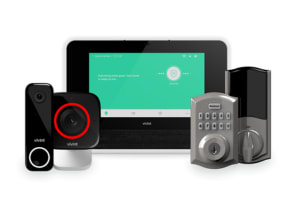
Vivint is a highly rated company that provides a range of smart security kits. Their app gives you complete control of your home, letting you switch your lights on and off, monitor security cameras, and lock and unlock doors directly from your phone.
Raj, Chief Editor at WireQuality, calls Vivint "an innovative home technology provider" and remarks on their dedication to "ease of use, seamless connectivity, and enhancing safety and convenience for homeowners."
Why we chose Vivint: Vivint's professional installers evaluate your home before suggesting equipment, so you get personalized service from day one. They even provide energy management services to save you money on electric bills.
Our experience: We liked Vivint's Smart Deter technology, which wards off potential burglars with sounds and lights as soon as security sensors detect them.

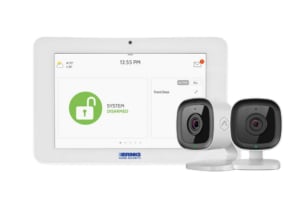
Brinks Home Security offers versatile home security solutions backed by professional installation and 24/7 monitoring. At the most basic, its security packages include motion sensors, intrusion alarms, and a touchscreen management panel. However, you can also add life safety sensors, security alarms, and home automation devices.
Brinks Home Security also offers custom pricing and contract terms to every client. This ensures you get the exact package you’re looking for. It doesn’t offer any sort of medical alert device, and you will need to pay extra for a full warranty, but there’s little else not to like. At the end of the day, we’d recommend Brinks Home Security for anyone looking for a streamlined security solution backed by professional service.