326 Reviews
Homebase Review 2026
October 14, 2025
•
4 min
October 14, 2025
•
4 min
Homebase is an all-in-one platform built for small businesses, bringing payroll, scheduling, time tracking, and team communication together in one easy-to-use app. Designed with hourly teams in mind, it saves owners valuable time by automating tasks like tax filings, direct deposits, and record-keeping.
With Homebase, small business owners can handle complex tasks like payroll processing and tax compliance, reducing data errors and keeping records up-to-date. The app also simplifies reporting and supports employee self-service, so teams can check their schedules, hours, and pay details independently. For tracking PTO and vacation, Homebase automatically calculates accruals and updates balances - ensuring accuracy across pay periods and removing guesswork.
Homebase provides a range of features tailored to make payroll and team management smooth, accurate, and efficient for small businesses.
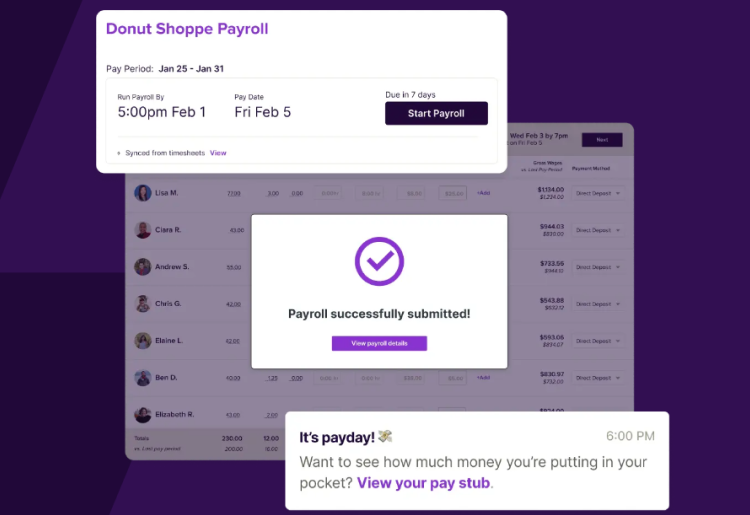
Homebase’s payroll processing keeps things efficient and accurate, so you can run payroll in just a few clicks. It handles tax calculations, direct deposits, and end-of-year W-2s and 1099s automatically. Autopayroll covers recurring pay periods without any manual steps, while next-day pay options give you flexibility for urgent needs.
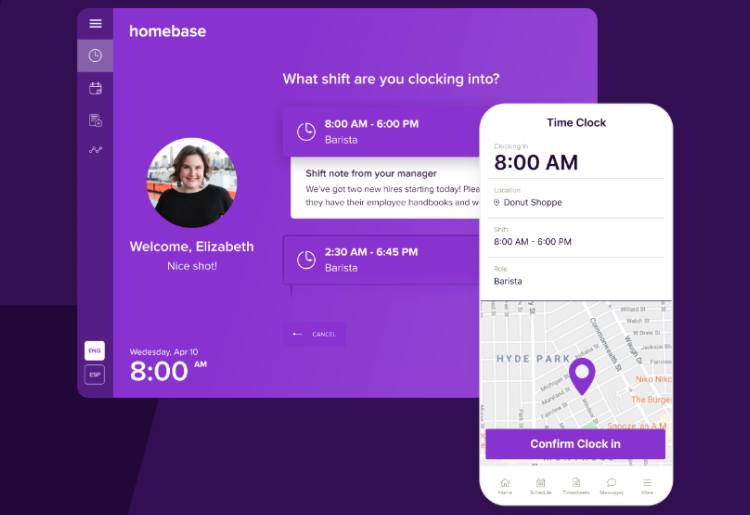
Homebase’s time-tracking tools simplify managing hours, breaks, and overtime across shifts. Digital time clocks prevent early clock-ins and flag overtime, while alerts keep you updated on late arrivals. Approving PTO requests directly in the app keeps everything organized and cuts down on potential errors from manual entries.
Homebase’s HR tools handle onboarding, document management, and essential compliance tasks. You can have new hires complete forms and e-sign paperwork, keeping all documents in one place for easy access. It also stores employee details, including job titles, pay rates, and essential info, so you don’t have to dig around to find what you need.

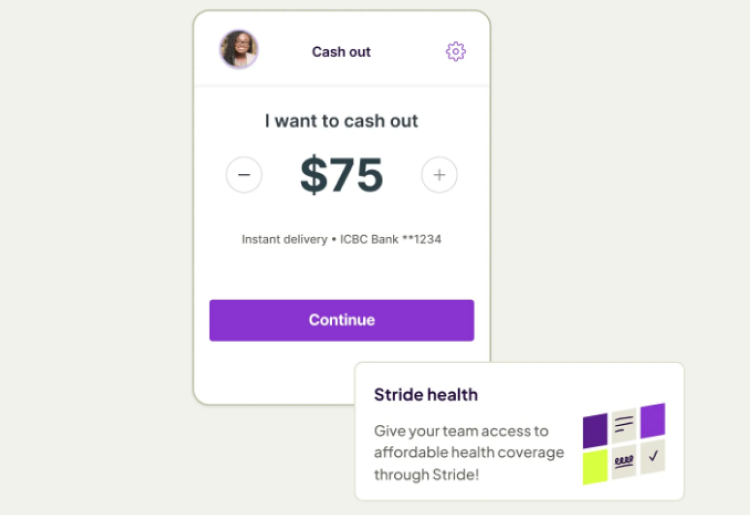
Homebase supports your team’s financial wellness by offering PTO tracking with automatic balance updates and accruals. The app includes free budgeting tools and early access to earned wages, helping your employees manage finances more easily. Additionally, it partners with Stride to provide access to affordable health, dental, and vision insurance options without increasing employer costs.
Homebase stays current with federal, state, and local regulations, taking care of tax compliance and labor law requirements. It automatically calculates taxes, manages payroll filings, and stores essential timecard records to meet FLSA record-keeping standards. Compliance updates happen behind the scenes, so your payroll and HR practices stay aligned with changing laws and reporting needs.

Homebase takes security seriously, packing in features that keep your data safe every step of the way. Data in transit is encrypted with TLS, while two-step authentication and instant security alerts help lock down account access. Permissions settings let you control who can view sensitive information, and an onsite security team runs regular audits to keep everything up-to-date.
With Homebase you can navigate payroll processing in just a few clicks, with tools like Autopayroll to run pay periods automatically and options for next-day pay when things need a quick turnaround. The app’s intuitive design - available on both web and mobile - means tracking hours, approving PTO, and running payroll can all happen from one place, even on the go.
Homebase also integrates with popular POS systems like Clover and Square for real-time time tracking and syncs with Stride to offer employee benefits. Reporting options cover payroll summaries, tax filings, and timecard storage for compliance, keeping your records organized without extra effort. Customization options include setting up permissions, PTO policies, and approval workflows, allowing you to tailor it to fit your business’s needs without complexity. It’s a setup that works efficiently without the usual payroll headaches.
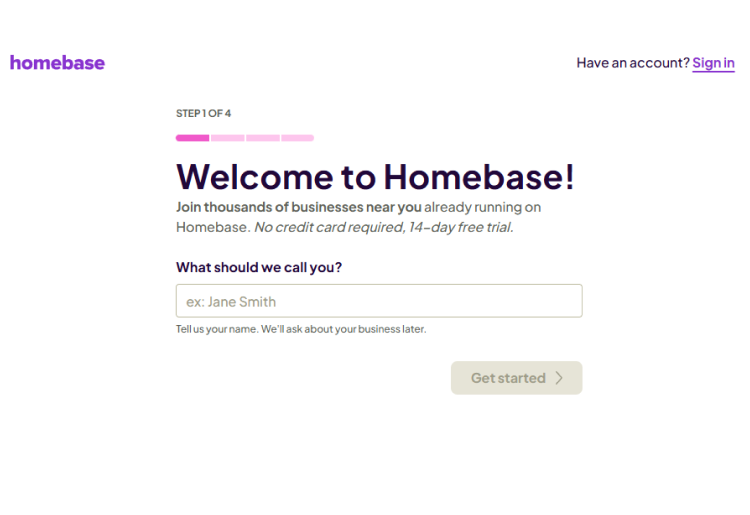
Setting up Homebase for payroll and team management is a quick, guided process that gets you up and running smoothly. Here’s a step-by-step guide to starting with Homebase:
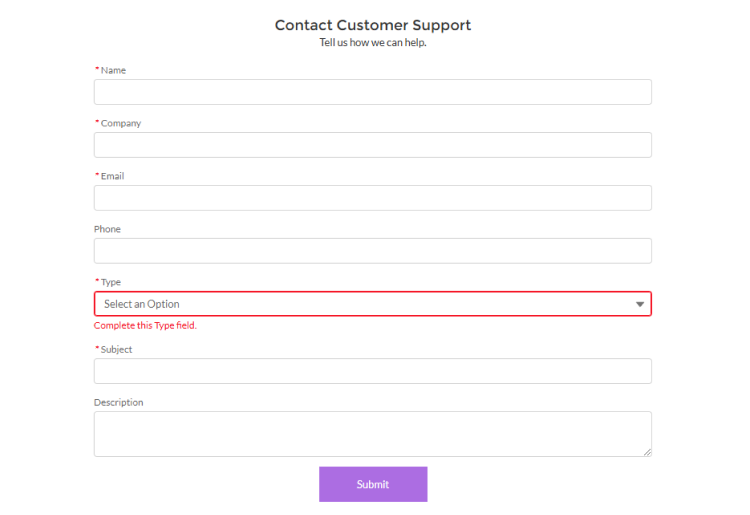
Homebase keeps support accessible with options to reach out by email, chat, or phone from 8:00 AM to 7:00 PM CST, Monday through Friday. Essentials plan members and higher get access to live chat and callback requests, while emails typically receive responses within 24 hours. For quick answers, the live chat connects you with a real person during business hours. Plus, Homebase’s extensive support library covers everything from setup to payroll tips, making it easy to find solutions and resources.
Yes, Homebase offers a mobile app that simplifies payroll, scheduling, and time tracking on the go. Users can manage hours, approve PTO, run payroll, and communicate with the team - all in one place.
Homebase offers four subscription plans - Basic, Essentials, Plus, and All-in-One - each designed to meet different team management needs. You can try the All-in-One plan free for 14 days, and all plans allow payroll as an add-on to simplify wage processing. Plans also offer a 20% discount with annual billing.
| Plan | Monthly Cost | Features | Payroll Add-On |
|---|---|---|---|
| Basic | Free for 1 location, up to 20 employees | Basic scheduling, time tracking, and POS integration | $39 base + $6 per employee paid |
| Essentials | $24.95/location, unlimited employees | Advanced scheduling, time tracking, team communication | $39 base + $6 per employee paid |
| Plus | $59.95/location, unlimited employees | Includes hiring tools, PTO tracking, department permissions | $39 base + $6 per employee paid |
| All-in-One | $99.95/location, unlimited employees | Adds employee onboarding, labor cost management, HR & compliance | $39 base + $6 per employee paid |
Payroll is available as an add-on for any plan, transforming time-tracking data into ready-to-pay wages, taxes, and filings - all automated to reduce payroll errors.
If you’re running a small business with hourly teams, Homebase is worth a look. It keeps payroll, scheduling, and time tracking simple - no need for juggling separate tools. Payroll runs in a few clicks, and the mobile app is solid for handling things on the go.
Just know that it’s built for smaller teams, so larger businesses might encounter some limitations. Overall, if you need a reliable, affordable way to streamline team management, Homebase does the job without complicating things.
Top10.com's editorial staff is a professional team of editors and writers with dozens of years of experience covering consumer, financial and business products and services.



