Project management software is a force multiplier. It helps you organize your time and resource management, create reports about business and employee performance, and get a better idea of what’s working and what isn’t. Project management software can also make team collaboration easier and more seamless than ever before. Using free project management software can be a great starting point for businesses looking to enhance their project management capabilities without a financial commitment.
Is it easy to use?
Project management software is designed to be easy to use; after all, that’s sort of the whole point of systems that are supposed to make your work easier. These programs shouldn’t take long for employees to master and should have a straightforward, intuitive interface for carrying out tasks and communicating with teammates. Many free project management tools offer user-friendly interfaces that require minimal training, making them accessible for teams of all sizes.
How steep is the learning curve?
Project management software platforms tend to have a wide range of capabilities, and if you are looking to master every facet, it could take you some time. For most employees, though, the basic tasks they would need to carry out shouldn’t take long to master at all and don’t require any previous tech know-how. Many free project management apps are designed with simplicity in mind, ensuring that users can quickly adapt and start managing their projects effectively.
How much will it cost me?
The amount you pay for project management software depends mainly on how many users you’ll have and how many features you want. For the most basic plans, the price will be around $5 per user per month, though if you opt for the “Enterprise” plan, the per-user price will jump to $23.60 per month. If you have a lot of employees, this can add up quickly. Make sure that you only order the plan that you need, so that you aren’t paying for capabilities that you don’t use. Alternatively, exploring free project management templates and free online project tracking tools can provide substantial cost savings while still offering robust project management features.
Is my data safe with a PM software?
PM software runs online, so safeguarding your security is quite important. With your system, you’ll be able to determine which users have access to which parts of the platform, and how often you update passwords and security protocols. When selecting a provider, take a look at the security safeguards they have in place to protect users, including firewalls and encryption. Many free project management tools also prioritize security, ensuring that your data remains protected while you manage your projects.
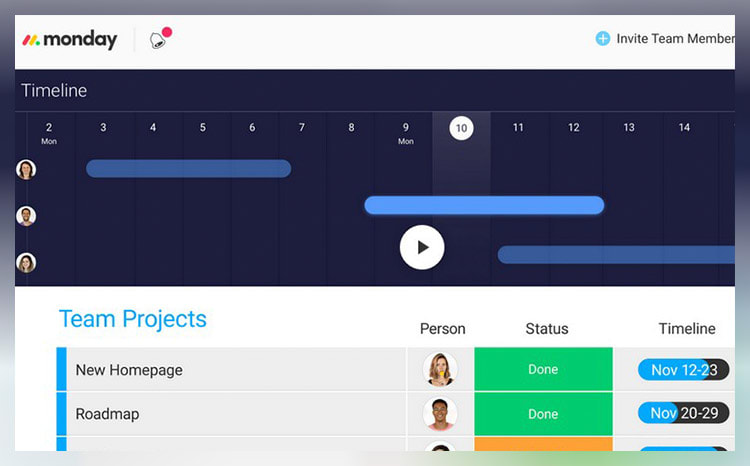
monday.com unifies your team’s tasks and processes into one user-friendly and visually pleasing interface.
As a work operating system, monday.com gives teams a clear view of responsibilities and deadlines, boosting transparency, accountability, and resource management. It features over 200 templates that can be customized with 20+ column options and various integrated apps. These tools simplify project setup and save time, helping you work more efficiently.
Additionally, you can tailor dashboards to provide detailed, team-specific views of tasks, project progression, and upcoming deadlines to enhance your team’s workflow clarity. Samyuktha Shivakumar, Global Marketing Operations Manager at Thoughtworks, reinforces this, stating that monday.com enables them “to budget the team’s time and efforts much more scientifically.”
Why we chose to review monday.com: monday.com tops our list for its combination of power, flexibility, and user-friendly design, making it ideal for even the most complex projects. It lets you seamlessly import data from spreadsheets and integrate it with your existing tools, eliminating manual data entry and freeing up time for other priorities.
Our experience: monday.com lets me implement processes that would’ve previously taken days or weeks within a few minutes. The platform’s communication tools, such as document sharing, comment annotation, and direct communication with task managers, improve collaboration within my team. The platform allows for excellent transparency for task management through easy-to-use sorting and color-coding methods.
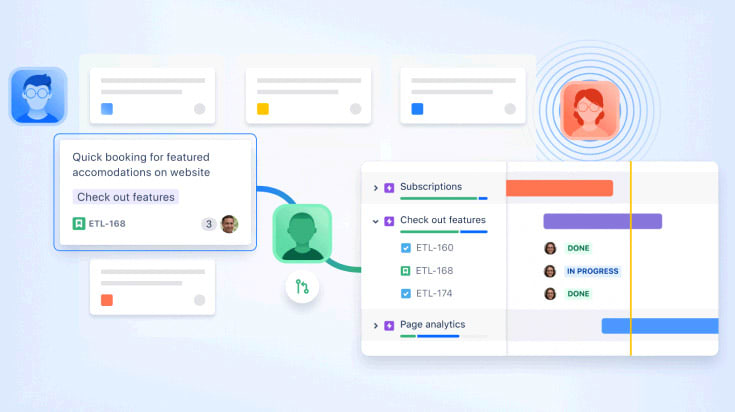
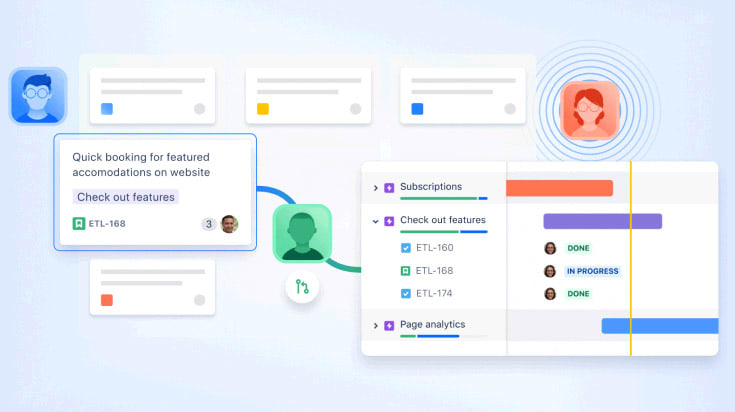
Jira is a highly scalable project management tool that can adapt as your team grows. It can configure workflows, create custom fields, and manage permissions at granular levels. This customizability will give your team room to mold the platform to your specific needs, enabling more efficient work processes.
Additionally, Jira’s scrum and Kanban boards make managing and visualizing workflows easy by giving teams a clear overview of the project's progression and individual tasks. This can be especially useful for software development teams who need to break projects down into smaller, iterative phases and reassess their process based on user feedback.
This tool also offers efficient bug and issue-tracking software. Its robust reporting system allows you to create detailed reports and dashboards, which can provide in-depth insights into project performance. This information can help your team identify bottlenecks, prioritize tasks, and implement improvements effectively.
Why we chose Jira: Jira supports integration with other Atlassian products, such as Confluence and Bitbucket, to enhance its collaborative capabilities. With these tools, you can document, share, and directly link detailed project information to tasks. This will ensure your team stays informed about project progress and has immediate access to relevant resources.
Our experience: Jira made it extremely easy for me to refine my team’s product backlogs. It allowed me to attach details—like sample wireframes and project guidelines—directly to our tasks. I could also associate items with specific product versions to help my team stay focused. And during the planning stages, I could drag and drop items into different sprints.
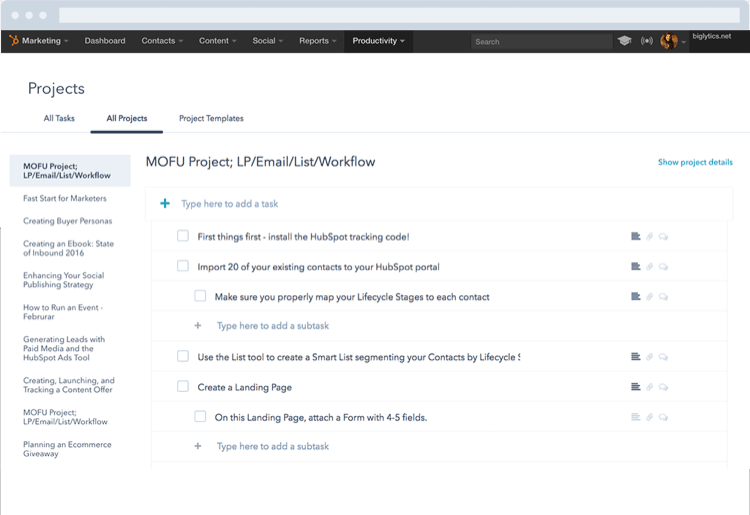
You can use HubSpot to enhance team coordination via structured lists. This platform lets you create and assign tasks, add subtasks, and set due dates from the same tab. You can also tag team members, leave comments and attach files inside projects for improved communication and collaboration.
While HubSpot may not have advanced tools like Gantt charts or detailed time-tracking, it provides a reliable foundation for managing tasks. For example, its real-time dashboard offers critical insights into project timelines, team workloads, and individual performance.
You can use this data during one-on-ones to identify potential hold-ups. It can also help you to delegate work more effectively. You can even tailor your dashboard view according to your team’s specific needs for a more personalized project management experience.
Why we chose HubSpot: This platform offers prebuilt project templates to help sales and marketing teams with tasks like launching sales campaigns and creating email newsletters. Each template comes with predefined action steps and best practice guidelines. These templates can save time and ensure everyone has clear instructions on what needs to be done.
Our experience: HubSpot’s features were easy to use and understand, even for our team members with limited technical know-how. Its seamless integration with HubSpot’s CRM also created a unified work environment for all our departments. Plus, being able to sync it with my calendar made it easy to know when to work on tasks and when to prepare for meetings.
 We Recommend


.20210527084730.png)

.20210527085313.png)