Last Updated: Sep 2026
Top 10 Antivirus Software of September 2026
Keep your digital world secure
 FAQs about antivirus software in 2026
Antivirus software remains essential for any internet-connected device in 2026. According to the AV-TEST Institute, over 500,000 new malware samples are registered each day. Built-in system tools can provide basic protection, but they may not offer the layered defence or advanced threat detection necessary to handle emerging cybersecurity threats.
Why it matters:
Over 500,000 new malware threats emerge daily (AV-TEST, 2025)
94% of data breaches begin with a phishing email (Verizon Data Breach Investigations Report, 2025)
Everyday users often report encountering threats through email attachments, downloads, or compromised sites

Antivirus software uses multiple detection techniques to identify and prevent malware infections:
Signature detection: Compares files against a database of known threats
Behavioural scanning: Detects suspicious actions like encryption, file tampering, or remote connections
Real-time monitoring: Continuously inspects system activity to block threats instantly
Scheduled scans: Allows users to check for dormant or deeply embedded malware
Modern antivirus tools are frequently updated and use AI to detect evolving threats.
Real-time protection has become one of the most important features in modern antivirus software. Instead of waiting for scheduled scans, real-time monitors continuously evaluate files, downloads, and network activity for suspicious behaviour. This is especially critical in 2026, as threats like ransomware can encrypt an entire system in seconds. By blocking harmful actions the moment they begin, antivirus software significantly reduces the risk of system compromise and minimizes the damage of emerging or zero-day attacks.
Yes. While antivirus software focuses on scanning and removing malicious software, internet security suites provide broader protection with features like:
Firewalls to block unauthorized access
VPNs for secure browsing
Spam and phishing filters to protect email accounts
Parental controls to manage online access for children
Security suites offer all-in-one digital protection for families, remote workers, and frequent internet users.
At Top10.com, we recognize the importance of thorough and accurate product and service reviews in guiding your choices. Our team, comprising editors and industry experts, conducts extensive research to provide comprehensive insights. Our content is continually updated to reflect the latest market trends, offering current information.
We provide a range of services including comparison lists and in-depth reviews, all tailored to meet your specific needs. Our goal is to empower you to make confident and informed choices.

Leading antivirus products today are designed to be resource-efficient. Independent lab evaluations (AV-Comparatives, 2025) show top tools use less than 2% of system resources during normal operation. Performance features include:
Gaming or silent modes to avoid interruptions
Startup and app optimization
Cloud-based scanning to reduce local impact
Free antivirus solutions offer basic scanning capabilities, suitable for low-risk browsing. However, many lack essential features such as:
Real-time threat blocking
Ransomware protection
Spam and phishing filters
Cross-platform coverage
Security analysts recommend premium suites for users handling sensitive data, working remotely, or using multiple devices.
Cybersecurity threats have evolved far beyond traditional viruses, and modern attacks frequently combine phishing, social engineering, and automated malware designed to bypass basic system protections. This means that relying on built-in security alone is no longer enough, especially for users who shop online, work remotely, or store sensitive information on their devices. A reliable antivirus suite offers multiple layers of defence, from real-time scanning to advanced behavioural monitoring, ensuring that new threats are detected even before official virus definitions are updated.
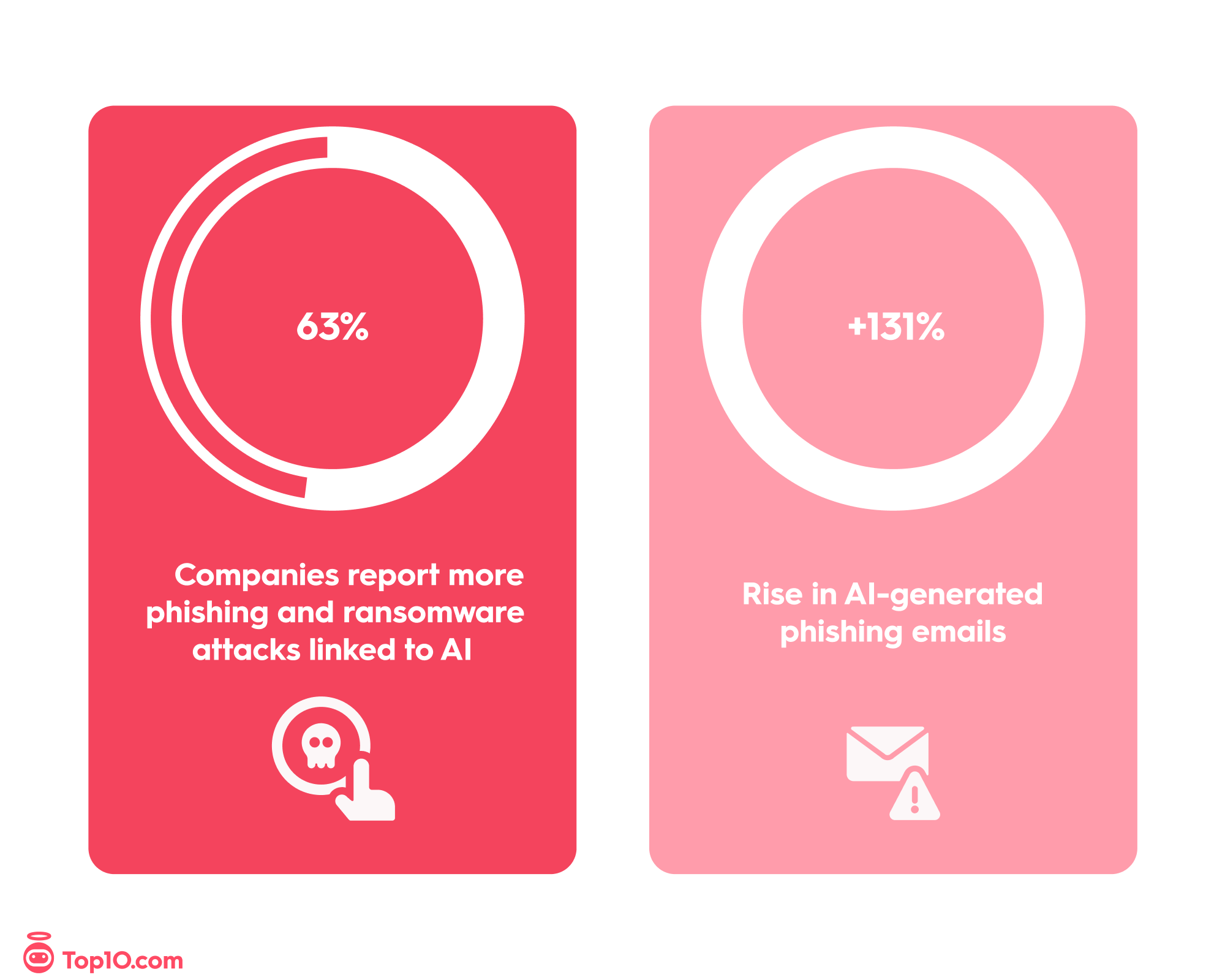
Artificial intelligence is now a powerful tool for cybercriminals. According to the 2025 Bitdefender Cybersecurity Assessment, more than half of companies report an increase in phishing and ransomware attacks linked to AI, as attackers use generative tools to create convincing emails, fake identities, and automated scams. Data from the Hornetsecurity Cybersecurity Report 2025 shows that phishing emails have increased by 131%, underscoring that traditional filters are no longer enough — real-time antivirus software with AI-based detection is now essential for staying ahead of modern threats in 2026.
Source:
2025 Bitdefender Cybersecurity Assessment
Hornetsecurity Cybersecurity Report 2025
All internet-connected devices — including PCs, smartphones, tablets, and smart home gadgets — benefit from dedicated antivirus protection. Increasing threats have been observed across platforms:
Smartphones targeted by fake apps and malicious links
macOS affected by adware and phishing attempts
Cloud storage as a vector for malware transmission
Even cautious browsing habits can't fully eliminate the risk of infection. Multi-layered protection ensures better defense against identity theft and data loss.
When choosing the best antivirus software, consider these core features:
Real-time scanning and automatic updates
Firewall and network security tools
Anti-phishing email protection
Cross-platform compatibility (Windows, macOS, Android, iOS)
User-friendly interface and customer support
Optional extras like VPNs, file shredders, or parental controls may also be important depending on your needs.
Antivirus programs typically offer these actions when a threat is identified:
Delete the threat if confirmed as malicious
Quarantine suspicious files in a secure folder for further review
Ignore (rare) only if confirmed to be a safe false positive
Most tools today automate this response in the background while alerting the user of any required actions.

Aura’s all-in-one plans offer antivirus and VPN protection for up to 10 devices. It also protects your Wi-Fi network along with 24/7 excerpt support for as little as $3 per month. Additionally, Aura offers $1 million identity theft insurance, online account monitoring, and social security number monitoring. Aura offers all its antivirus and VPN features in one easy app for Windows and MacOS (with VPN also available for Android and iOS).

Norton gives you easy-to-use protection with in-depth parental controls. Depending on the package, Norton Security includes full antivirus protection, firewall protection, identity and financial protection, parental controls, email and spam blocking, password manager, PC optimization tools and 25 GB online backup storage for up to 10 computers or devices.
When it comes to virus protection, while the Norton Security's detection rates may leave something to be desired, the solid parental controls and ease of use make it a great choice for users looking for average virus detection coupled with top of the line parental controls for their family.

McAfee is one of the biggest and most trusted names in antivirus software. McAfee provides secure total protection for your computer and devices. No matter which package you choose you will have access to free 24/7 support, parental controls and a 30-day money-back guarantee.
When you spend a little more for the internet security and total protection packages, you get anti-malware, anti-theft and file protection for any Mac, Windows or Android device. You can also opt for parental controls, anti-spam to block dangerous emails and the True Key app to store your passwords and usernames.


